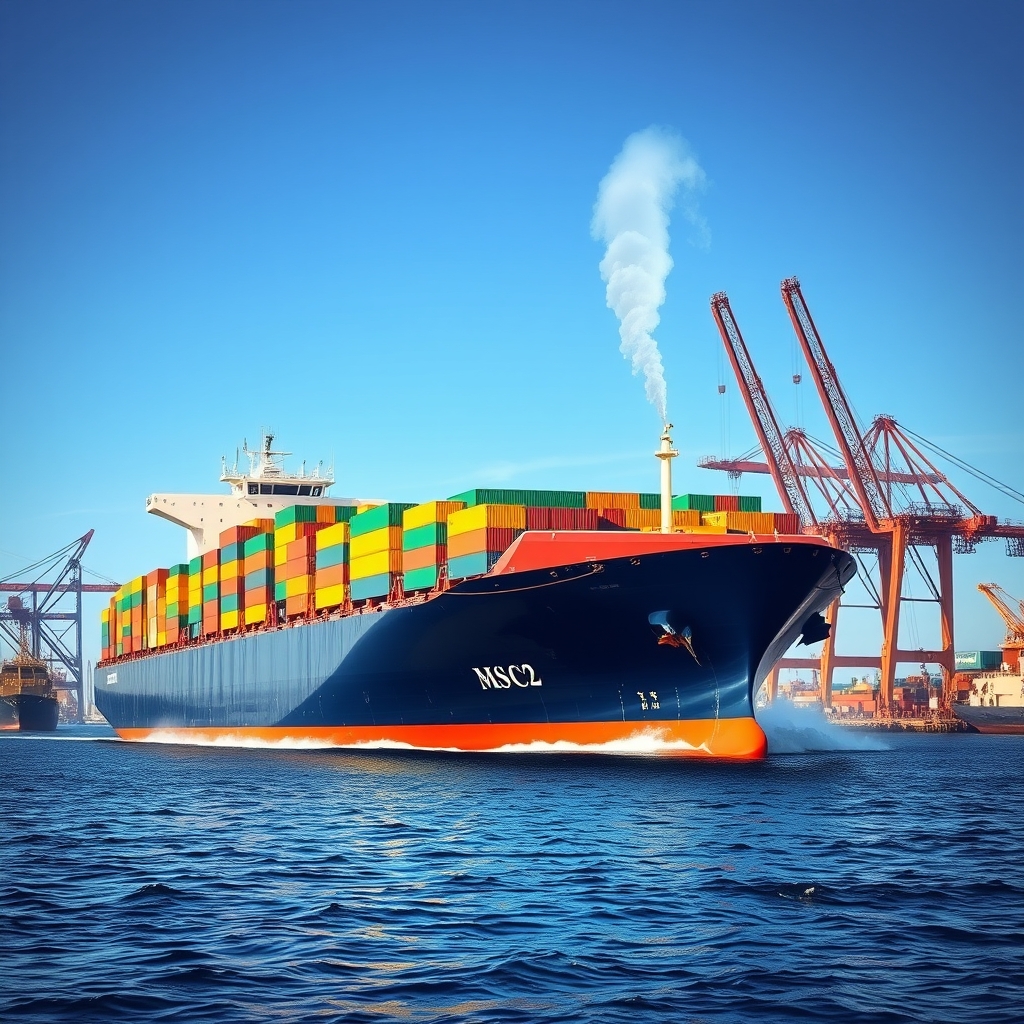
You need to know, fast and programmatically, when a general cargo ship is near a port: is it in anchorage, at berth, approaching the pilot station, or still hours out? By the end of this post you’ll be able to query a port’s coordinates, detect general cargo vessels within a configurable radius, drill into a specific ship’s live track and route, and surface reliable ETAs and operational context in your app or control room dashboard—using a single, consistent REST API.
What you’ll build with the Vessels API
We’ll stitch together a small but powerful flow tailored to general cargo ships operating near ports:

- Discover the port’s coordinates and timezone using the port catalog or single-port data endpoint.
- Scan for all vessels near that port and filter to general cargo tonnage.
- Focus on a single cargo vessel, fetch its live AIS track plus up to 168 hours of position history, and read its current navigational status and route context.
- Optionally compute voyage analytics and emissions performance to feed ops and ESG dashboards.
The API surface is intentionally consistent: one base URL, one X-API-Key header, predictable JSON envelopes, and REST semantics that are straightforward to test and ship to production.
Key endpoints for “general cargo ship near a port” workflows
- GET /ports and GET /ports/data — identify ports and fetch their coordinates and live counts.
- GET /vessels/nearby — scan a geofence around the port and filter by ship_type.
- GET /vessels/track — deep-dive into a target vessel’s current position, route, last port calls, and history.
- GET /vessels/analytics — pull summary stats for the last 24 hours to 90 days.
- GET /vessels/green — pull IMO CII emissions scoring for compliance views.
Why developers pick this API for port-adjacent ops
- 18 REST endpoints across search, tracking, fleet ops, port intelligence, and IMO CII.
- Authentication is a single X-API-Key header across every endpoint—no OAuth, no per-endpoint differences.
- All responses share one envelope: {status, success, message, data}.
- Global AIS coverage with near real-time refresh rates where received.
- 7-day free trial on all plans so you can prototype and benchmark quickly.
Start a test integration by grabbing your key and exploring the Documentation. You can also experiment with tools in the MCP.
Step 1: Identify your port and coordinates
You can pull a full list of supported ports or fetch a single port’s details, including coordinates and live counts for vessels currently in port.
Option A: List ports
curl -H "X-API-Key: YOUR_API_KEY" "https://vessels-api.com/api/V1/vessels/track?mmsi=258785000&hours=48"Use this when you need a pick-list and to map UN/LOCODEs to coordinates.
Option B: Get a specific port’s data
Response includes latitude, longitude, timezone, and basic live counts. Save the coordinates; you’ll pass them into the nearby scan in the next step. All timestamps are UTC. Store the timezone for later UI presentation or ETD/ETA localizations.
Step 2: Scan for general cargo vessels near the port
With port coordinates on hand, query all vessels within a given radius and filter the ship types. For geofences around port approaches and anchorages, 15–50 NM is common. Maximum radius is 200 NM.
The payload returns a list of vessels sorted by proximity to your center point. Key fields to use immediately:
- position.latitude, position.longitude, and timestamp_utc — to place each ship on your map.
- distance_nm — to rank vessels by proximity and trigger rules (e.g., “within 2 NM of pilot station”).
- navigational_status and speed_knots — to distinguish “At anchor,” “Moored,” or “Under way” patterns.
From this list, select the MMSI or IMO for the vessel you want to monitor more closely and move to live tracking.
Step 3: Deep-dive a single general cargo vessel (live AIS track)
Use the track endpoint to get the current position, optional 24–168 hours of history, active route snapshot, last port visits, and (optionally) predicted ETA and weather. The consistent structure makes it safe to cache in your app while still passing through the age and timestamp of the AIS position for freshness checks.
Copy-paste the official sample below to test your integration path right now.
{
    "status": 200,
    "success": true,
    "message": "OK",
    "data": {
        "vessel": {
            "imo": "9122556",
            "mmsi": "258785000",
            "name": null
        },
        "current_position": {
            "latitude": 53.33708,
            "longitude": 7.17993,
            "speed_knots": 0,
            "course_degrees": 212,
            "heading_degrees": null,
            "navigational_status": 5,
            "timestamp_utc": "2017-01-24T04:07:57+00:00",
            "age_minutes": 5129960,
            "destination": null,
            "eta": null
        },
        "predicted_eta": null,
        "position_history": [],
        "route": {
            "departure_port": "HERACLIO",
            "departure_time": "2026-04-27T21:35:36+00:00",
            "destination_port": "HERACLIO",
            "eta": null,
            "distance_nm": null,
            "avg_speed_knots": 17.1
        },
        "last_port_visits": [
            {
                "port_id": "156",
                "port_name": "EMDEN",
                "arrival_time": "2026-07-30T13:00:10+00:00",
                "departure_time": null,
                "duration_hours": null
            },
            {
                "port_id": "10",
                "port_name": "HERACLIO",
                "arrival_time": "2026-04-20T12:00:00+00:00",
                "departure_time": "2026-04-23T08:00:00+00:00",
                "duration_hours": 68
            }
        ],
        "weather": null
    }
}
What to extract and display:
- current_position.latitude/longitude: place the ship on your situational map.
- current_position.navigational_status and speed_knots: gate logic for “near a port and stopped” (e.g., anchor).
- current_position.timestamp_utc and age_minutes: show data freshness to your users.
- route.departure_port, route.destination_port: context on the active voyage.
- last_port_visits: enrich the UI with where the vessel touched last and duration of stay.
Python example: reading live track for UI and alerts
import requests
from datetime import datetime, timezone

API_KEY = "YOUR_API_KEY"
MMSI = "258785000"

url = "https://vessels-api.com/api/V1/vessels/track"
params = {
"mmsi": MMSI,
"hours": 48 # up to 168
}
headers = {"X-API-Key": API_KEY}

r = requests.get(url, headers=headers, params=params, timeout=20)
r.raise_for_status()
payload = r.json()

if not payload.get("success"):
raise RuntimeError(f"API error: {payload.get('message')}")

data = payload["data"]
vessel = data["vessel"]
pos = data["current_position"]
route = data.get("route") or {}
visits = data.get("last_port_visits") or []

lat = pos["latitude"]
lon = pos["longitude"]
speed = pos["speed_knots"]
status = pos["navigational_status"]
ts = pos["timestamp_utc"]
age_min = pos["age_minutes"]

print(f"MMSI {vessel['mmsi']} at {lat:.5f},{lon:.5f} speed {speed} kn status {status}")
print(f"Position UTC {ts}, age {age_min} min")

if route:
print("Voyage:", route.get("departure_port"), "→", route.get("destination_port"))

# Example alert: near port and stopped (speed < 0.5 kn)
if speed is not None and speed < 0.5:
print("Alert: Vessel appears stopped near port approach/anchorage.")

# Show last known port visit
if visits:
last = visits[0]
print(f"Last port: {last['port_name']} at {last['arrival_time']} UTC")
Implementation detail: the navigational_status field is a numeric AIS code. Combine that with speed_knots thresholds to tune anchorage vs. berth logic in your workflows.
Step 4: Drive a port-aware dashboard (ETA, congestion snapshot, and events)
Port intelligence complements ship tracking when a general cargo vessel is loitering at anchorage or toggling to “Moored.” You can query congestion snapshots and logistics event feeds to contextualize what’s happening inside the harbor.
Congestion snapshot
This returns a real-time count of vessels in anchorage vs. at berth, plus historical wait-time statistics over the selected period. Use the anchor/berth split for your berth allocation and tendering views. Note: do not rely on made-up wait times in tests; use the live API or your internal fixtures.
Expected arrivals
Feed the expected arrivals into planning boards and reconcile with your nearby scan to detect whether a given general cargo ship on the arrival list has already entered your geofence and how its real-time AIS position compares with stated ETA.
Recent port activity
Recent arrivals and departures help you determine berth turnover rate and cross-check if the general cargo vessel you’re watching has already completed a call.
Advanced: Voyage analytics for dwell and turnaround KPIs
For operational reporting and continuous improvement, aggregate voyage statistics can be more useful than raw AIS points. Use the analytics endpoint to compute total distance, average speed, and time-in-port for a specific cargo ship.
Key fields to feed your dashboard:
- statistics.total_distance_nm — total steaming distance over the period.
- statistics.avg_speed_knots, max_speed_knots — sanity checks on performance.
- statistics.port_calls_count and total_time_in_port_hours — dwell tracking.
- statistics.ports_visited — a compact list to annotate map timelines.
Compliance: IMO CII emissions scoring for general cargo vessels
ESG and regulatory teams can retrieve emissions estimates and CII letter ratings for a single vessel over rolling periods. Use this to flag voyages or vessels that may score poorly, or to share compliance snapshots with counterparties.
Important fields:
- estimated_emissions.co2_tons and co2_per_nm — intensity and totals.
- cii.score and cii.rating — letter grade A (best) to E (worst) per IMO MEPC.339(76).
- period — align the window with your reporting cadence (24h, 7d, 30d, 1y).
Search and target: find the right general cargo ship
When you don’t have an MMSI offhand, use fuzzy search by name or direct search by IMO/MMSI. Include filters for ship type to narrow to general cargo units only.
Practical details:
- Pagination: per_page max is 100; combine with page for full result sets.
- Filters: you can layer flag, DWT/TEU bounds, or build years to match fleet profiles.
- Outputs: keep IMO, MMSI, dimensions, and year_built in your cache for quick UI reference.
Putting it together: port-aware, cargo-first workflow
Here’s a compact flow you can drop into a backend service:
- Resolve port → GET /ports/data (store lat/lon, timezone).
- Nearby scan → GET /vessels/nearby (filter ship_type=General Cargo, radius=30–50 NM).
- For each candidate within X NM, call GET /vessels/track with hours=24–72 to read current_position and route.
- Trigger business rules:
- If speed < 0.5 kn and navigational_status indicates anchored/moored, flag “at anchorage/berth.”
- If distance < 2 NM and course aligns with harbor entry, flag “approaching port.”
- Enrich with GET /port/expected-arrivals to reconcile planned vs. real AIS timing.
- Optionally include GET /vessels/analytics and GET /vessels/green for weekly reports.
Error handling, units, and performance tips
- HTTP status codes: 400 for invalid parameters, 401 for missing/invalid X-API-Key, 404 for not found, 422 for out-of-range, 429 for rate limiting, and 500 for server errors.
- Units and time: distances in nautical miles, speeds in knots, timestamps in UTC ISO 8601. Ports include a timezone field when needed for display.
- Caching: cache GET responses (e.g., /ports, /vessels/search) aggressively. For live AIS (/vessels/track, /vessels/nearby), respect timestamp_utc and age_minutes if you add secondary caching to protect your rate budget.
- Safety checks: not all AIS fields are always present. Guard against null destination, name, or heading_degrees.
- Throughput: batch lookups for multiple vessels with POST /vessels/fleet if you need a single call to retrieve positions/routes for your entire cargo fleet.
Fleet batch: scaling beyond one vessel near a port
If your operations team tracks dozens of general cargo vessels, poll them as a batch to minimize round-trips and coordinate updates in a single payload.
Use the fleet summary fields (vessels_at_sea vs. vessels_in_port) to power at-a-glance cards. When rendering a map, merge the per-vessel position and route data into your layers.
Security and consistency guarantees
- Authentication: always send X-API-Key: YOUR_API_KEY in the request header.
- One envelope: every response includes status, success, message, data—no special parsing per endpoint.
- HTTP semantics: most endpoints are GET; POST /vessels/fleet accepts a JSON body for batch operations.
FAQ
How fresh is the live AIS data?
The track and nearby endpoints return timestamps in UTC alongside age_minutes so you can determine freshness at read-time and apply your app’s thresholds.
What’s the maximum lookback I can request for position history?
Use the hours parameter on /vessels/track. Default is 24 hours; maximum is 168 hours.
Can I filter nearby results to just general cargo ships?
Yes. Pass ship_type=General Cargo to /vessels/nearby. You can also combine it with radius and limit for tuned scans around port approaches.
How do I get a vessel’s IMO CII rating?
Call /vessels/green with imo or mmsi and an optional period (24h, 7d, 30d, 1y). The response includes cii.score and cii.rating (A–E) with an IMO regulation reference.
What if I don’t know the MMSI?
Use /vessels/search with a fuzzy name query and filters like ship_type, flag, or build year range. The response includes IMO and MMSI so you can pivot to track and analytics.
Build your “general cargo near port” features today
Spin up a targeted, cargo-first port view with a few GET requests and one consistent JSON schema. Register and start testing the endpoints covered here, wire them into your map and event flows, and ship a reliable “near port” feature for general cargo operations.
Register • Documentation • MCP